Application class from which JavaFX applications extend.
Life-cycle
The entry point for JavaFX applications is the Application class. The JavaFX runtime does the following, in order, whenever an application is launched:
- Constructs an instance of the specified Application class
- Calls the
initmethod - Calls the
startmethod - Waits for the application to finish, which happens when either of
the following occur:
- the application calls
Platform.exit - the last window has been closed and the
implicitExitattribute onPlatformis true
- the application calls
- Calls the
stopmethod
Note that the start method is abstract and must be overridden.
The init and stop methods have concrete implementations
that do nothing.
Calling Platform.exit is the preferred way to explicitly terminate
a JavaFX Application. Directly calling System.exit is
an acceptable alternative, but doesn't allow the Application stop
method to run.
A JavaFX Application should not attempt to use JavaFX after the
FX toolkit has terminated or from a ShutdownHook, that is, after the
stop method returns or System.exit is called.
Parameters
Application parameters are available by calling the getParameters
method from the init method, or any time after the init
method has been called.
Threading
JavaFX creates an application thread for running the application start
method, processing input events, and running animation timelines. Creation
of JavaFX Scene and Stage objects as well as modification of
scene graph operations to live objects (those objects already
attached to a scene) must be done on the JavaFX application thread.
The Java launcher loads and initializes the specified Application class on the JavaFX Application Thread. If there is no main method in the Application class, or if the main method calls Application.launch(), then an instance of the Application is then constructed on the JavaFX Application Thread.
The init method is called on the launcher thread, not on the
JavaFX Application Thread.
This means that an application must not construct a Scene
or a Stage in the init method.
An application may construct other JavaFX objects in the init
method.
All the unhandled exceptions on the JavaFX application thread that occur during
event dispatching, running animation timelines, or any other code, are forwarded
to the thread's uncaught.
Example
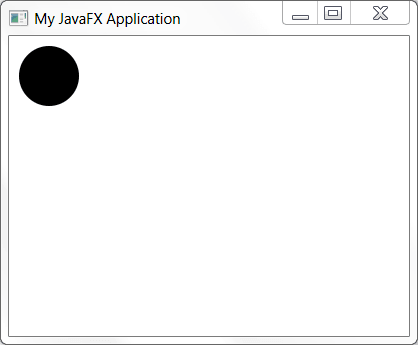
The following example will illustrate a simple JavaFX application.
import javafx.application.Application;
import javafx.scene.Group;
import javafx.scene.Scene;
import javafx.scene.shape.Circle;
import javafx.stage.Stage;

public class MyApp extends Application {
    public void start(Stage stage) {
        Circle circ = new Circle(40, 40, 30);
        Group root = new Group(circ);
        Scene scene = new Scene(root, 400, 300);

        stage.setTitle("My JavaFX Application");
        stage.setScene(scene);
        stage.show();
    }
}
The above example will produce the following: